Kurir

HEY's workflow. Your server.

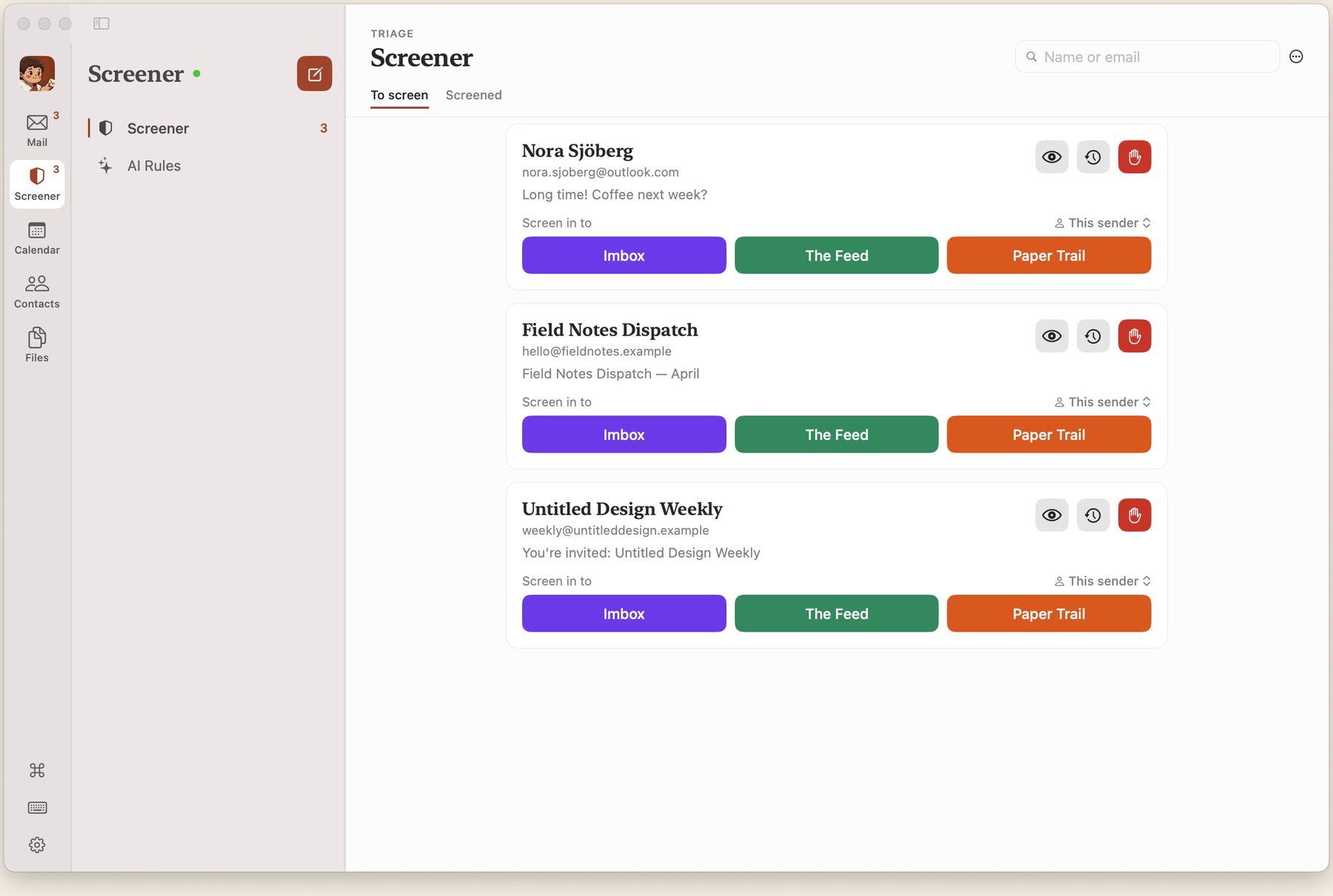
New senders are screened. Your Imbox is only people you've approved. Newsletters live in The Feed. Receipts go to Paper Trail. You host it.

The app talks to your Kurir server. Buying it funds the rest.

Kurir email client showing the sidebar with Imbox, Screener, Feed, and Paper Trail

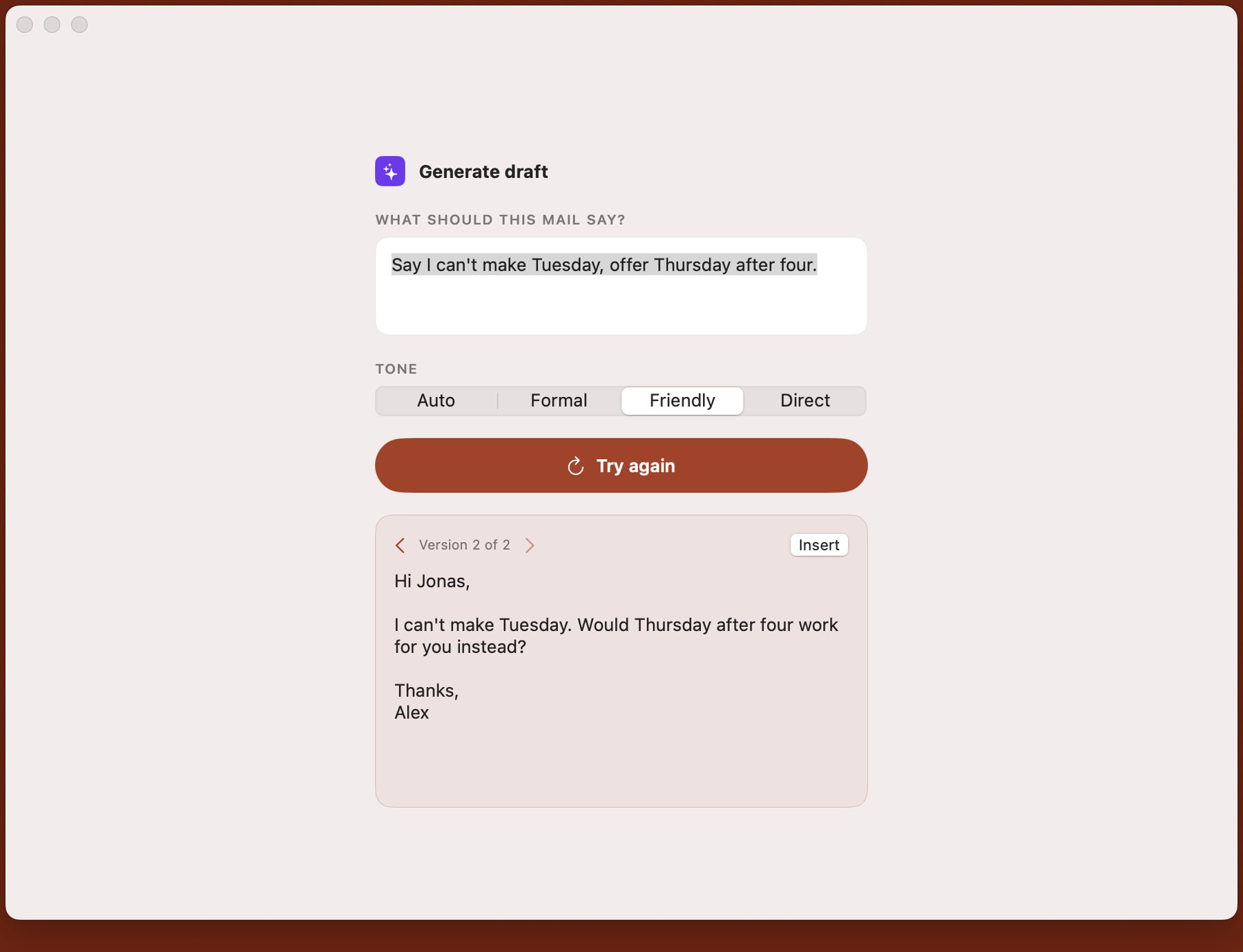
MCP

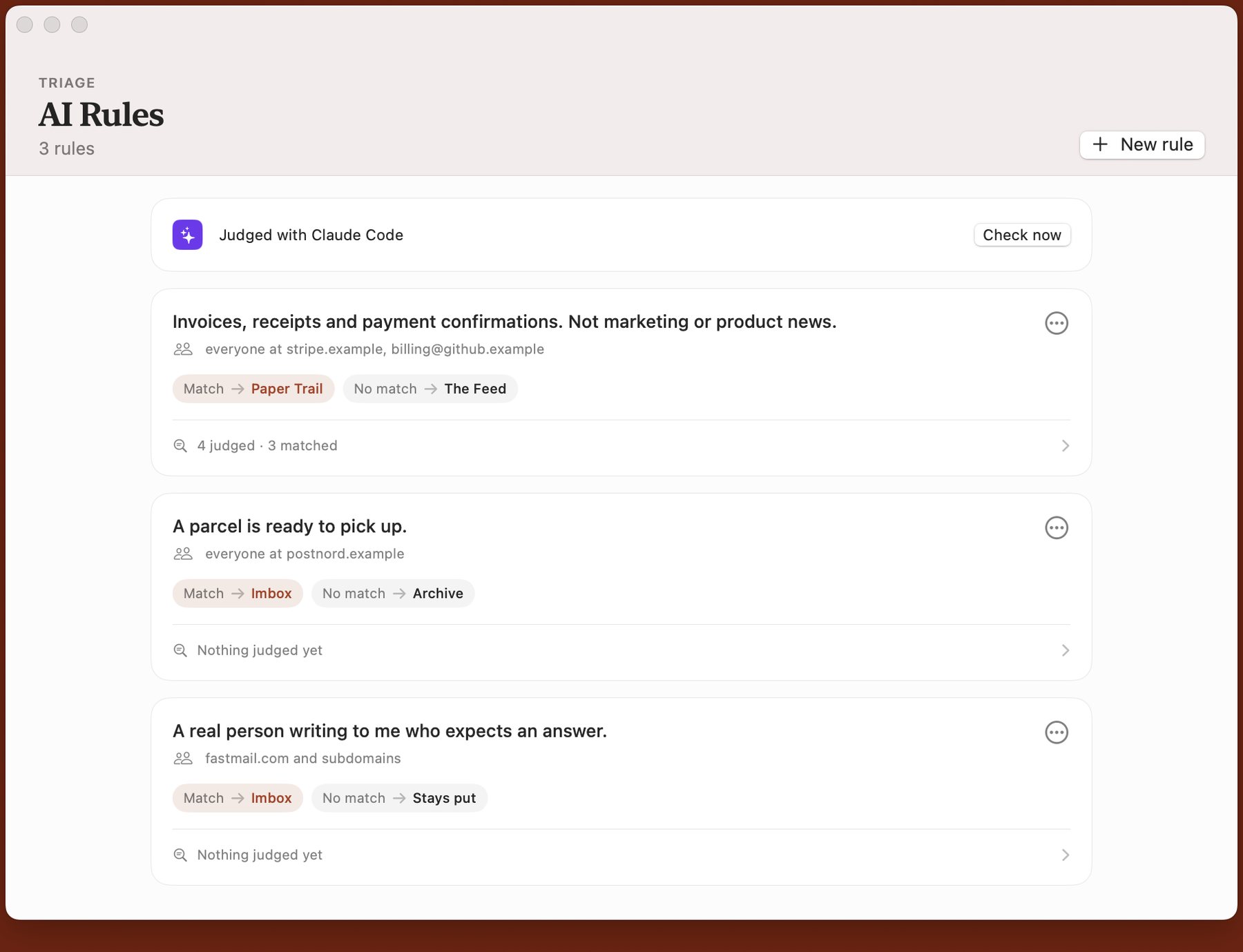
Ask Claude about your mail.

Search, triage, screen senders, and change your settings from Claude. Your mail stays on your server. Sending and other destructive actions ask for a confirmation first.

  1. Add the endpoint as a custom connector in Claude.

  2. Sign in with the same passkey you already use.

  3. Approve access. Revoke it later under Settings.

Custom connector

endpoint

https://<your-domain>/mcp

Claude.ai, Claude Desktop, and Claude Code. Revoke under Settings → Connected apps.

Little things, big difference.

Screener blocks unknown senders. The Feed collects newsletters. Paper Trail files receipts. Search finds everything. Everything in its right place.

Screener

New senders don't reach your inbox. You decide who gets in, who gets filed, and who gets blocked.

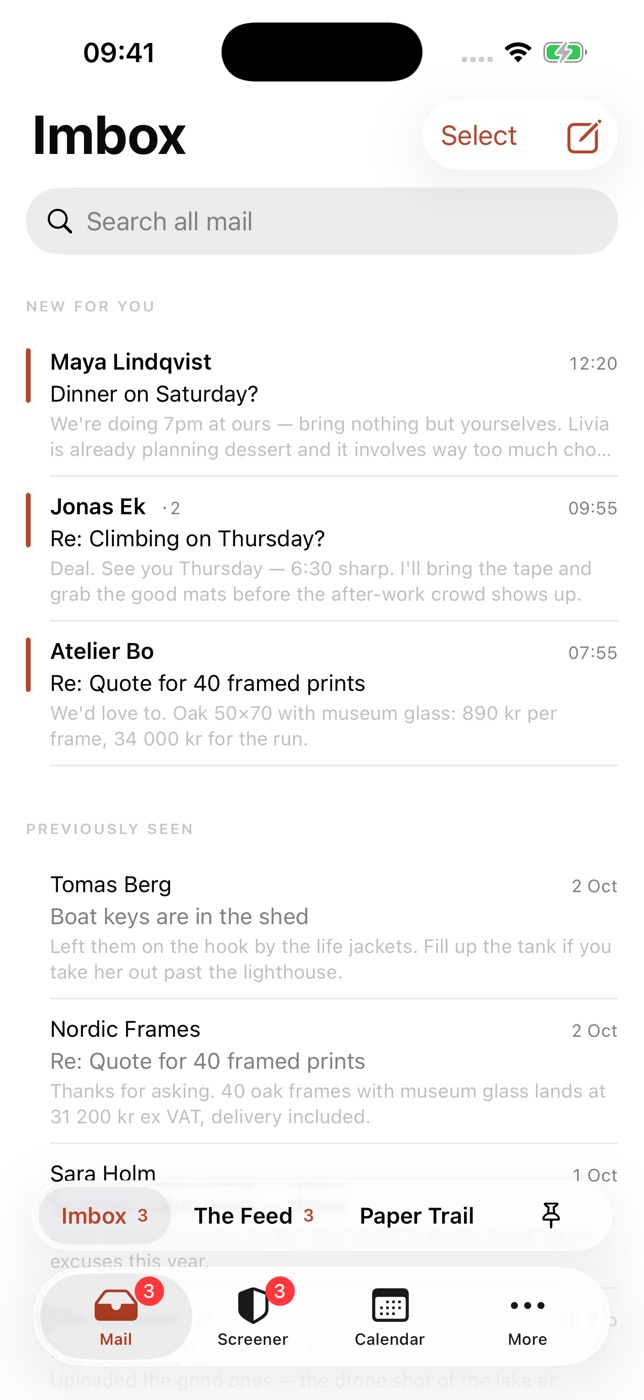
Imbox

Only mail from senders you've approved. The important stuff, and nothing else.

The Feed

Newsletters and subscriptions in a browsable feed. Browse when you want, not when they arrive.

Paper Trail

Receipts, confirmations, and notifications. Kept neatly separate so they're there when you need them.

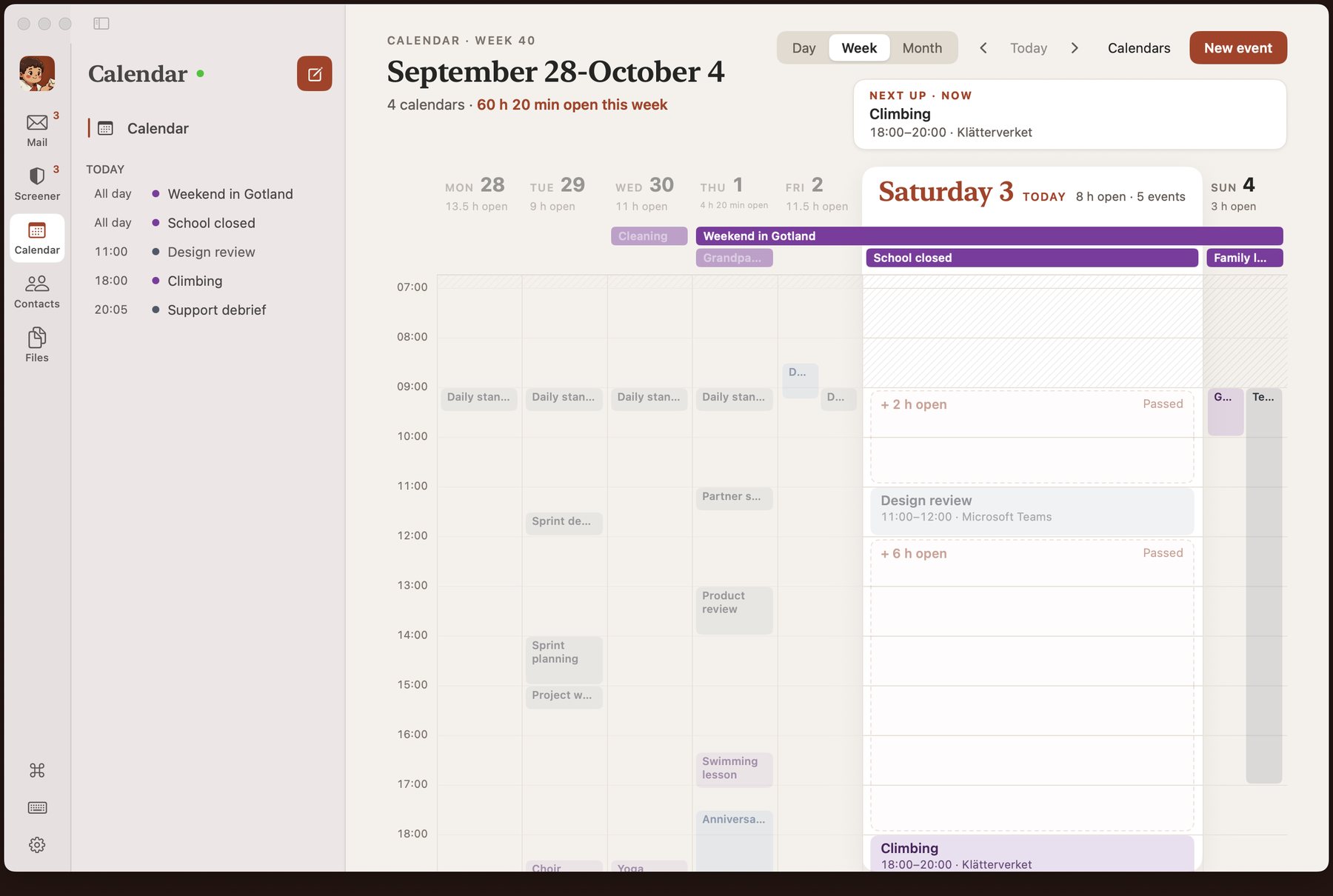
Calendar

A full calendar beside your mail - week, day, and month views, synced with the calendars you already have, and RSVP to invitations right from the inbox.

Native apps

Native iPhone and Mac apps on the App Store - paid, smoother, and what funds the project - plus a free PWA.

Full-text search

PostgreSQL-powered search across every email. Find anything, instantly.

Files library

Every attachment across your mail in one place, newest first. Filter by type, search by name, and grab what you need.

Snooze & follow-ups

Snooze messages until later. Set follow-up reminders so nothing falls through the cracks.

Reply Later

Stack the messages you owe a response, then work through them one at a time in a focused mode — nothing else competing for your attention.

Keyboard-first

Full keyboard shortcuts, command palette, and vim-style navigation. Never touch the mouse.

Compose in Markdown

Write emails in Markdown. Schedule sends. Auto-save drafts. Send from multiple accounts.

Threaded conversations

Messages grouped into threads — see the full conversation in one view and reply inline. Un-thread noisy senders when you'd rather take them one message at a time.

Dark mode

Light, dark, or match your system. Easy on the eyes at any hour.

Spy-tracker blocker

Tracking pixels stripped and remote images proxied. Senders can't see when, where, or whether you opened their mail.

Your server

Runs on your hardware. Your data stays on your server. No third parties, ever.

On your Mac. In your pocket.

The server, the web app, and the PWA are free and open source. The native Mac and iPhone apps are the one thing that costs money - buying them is what funds the rest.

The native Kurir Mac app showing the Imbox with personal mail in a sidebar layout
Paid · on the Mac App Store

The Mac app

A real Mac app. Same Swift as the iPhone, built for a keyboard and a wide window. Offline-first. Lists and threads read from a local store, and actions queue when you're offline.

Search, shortcuts, a full native calendar, and the sidebar you already know. Paid, like the iPhone app, and what funds the rest of Kurir.

Get the Mac app

The native Kurir iPhone app showing the Imbox with personal mail
Paid · on the App Store

The native iPhone app

Real Swift, not a wrapped web page. Offline-first — every list and thread reads instantly from a local store, and actions queue up when you're off the grid. A native calendar with RSVP built in, and push notifications the moment mail lands in your Imbox.

The native apps are the only part of Kurir you can pay for, and you never have to. Think of them as the project's tip jar - with a really nice app attached.

Get the iPhone app

The Kurir PWA on a phone showing The Feed with newsletters
Free · iOS & Android

The PWA

Every feature is here. Screener, Imbox, Feed, Paper Trail, search, compose - the same Kurir, installed from your own server. No App Store, no extra account. Full-screen, with push on iOS 16.4+ and Android.

It's just not as smooth as the native iPhone app. The Swift client is offline-first and faster. The PWA is free, like everything else on your server. Install guide.

One more thing… Kurir is open source if you'd like to run it yourself.

If you want to customize Kurir for your own use, or just see how it looks from the inside out, you can download it and run it yourself. Have a great idea? Submit a PR to contribute and make it better. Our software license allows for flexible use with few restrictions.

Support the project.

Kurir is free and open source. If it's useful to you and you'd like to help keep it going, consider supporting the project financially. Every bit helps cover hosting, development time, and infrastructure.

Common questions.

Is Kurir really free?
Yes. The server, the web app, and the mobile PWA are 100% open source and free to self-host. There's no paid tier, no premium features behind a paywall. The one exception: the native Mac and iPhone apps are paid - buying them is the easiest way to fund Kurir's development.
What's the difference between the native apps and the PWA?
The PWA has the full Kurir - every list, search, compose, settings. Free, on iOS and Android, installed from your own server. The native iPhone app is the same product in Swift: offline-first, faster, and smoother. It's paid, on the App Store, and the only part of Kurir that costs anything. You never have to buy it. A Mac app is coming.
Is there an iPhone app?
Yes. The native iPhone app is on the App Store. Real Swift, offline-first, with push the moment mail lands in your Imbox. It talks to your Kurir server - you still self-host. Buying the app is how you fund the project.
Is there a Mac app?
Yes. There's a native Mac app - same Swift as the iPhone, built for a keyboard and a wide window. It's paid and on the Mac App Store, like the iPhone app. The web app in any desktop browser stays free.
What email providers work with Kurir?
Any provider that supports IMAP and SMTP — Gmail, Outlook, Fastmail, your own Postfix server, you name it. Kurir connects to your existing email account over standard protocols.
Do I need to move my email to a new server?
No. Kurir is a client, not a mail server. It syncs with your existing email account via IMAP. Your mail stays where it is — Kurir just gives you a better way to read and organize it.
Can I really run Kurir on my own server?
Absolutely. One curl command installs Docker, PostgreSQL, Redis, and Kurir itself on any Ubuntu or Debian server. The whole setup takes about two minutes.
What's the Screener?
When someone you've never heard from emails you, they land in the Screener instead of your Imbox. You can approve them (and choose where their mail goes), or block them entirely. You'll never see unwanted email again.
Can I use Claude with Kurir?
Yes. Point Claude at https://<your-domain>/mcp as a custom connector. Sign in with your passkey and approve access. Claude can read and search mail, triage, screen senders, and change your own settings. Sending and other destructive actions ask for a confirmation first. Revoke access under Settings → Connected apps.
What's the license?
Kurir uses the O'Saasy License — essentially MIT, but with one extra clause: you can't take it and offer it as a competing hosted service. Self-hosting for personal or business use is completely fine.

Need help? Check out the documentation.

Yeah, why not, I'll try Kurir!

terminal
$ curl -fsSL https://raw.githubusercontent.com/cfarvidson/kurir-server/main/install.sh | sudo sh